Forum Replies Created
-
AuthorPosts
-
Hello.
You can download the latest package from Envato. Extract the file download, you will see the package install in the plugins folder. Then you can install to your site.
Regards.
Hello.
Thank you for contacting us.
We have checked and updated the latest version of the Revolution Slider on our server and the Envato package. The latest version is 6.7.58.
Regards.
Hello.
Thank you for contacting us.
We have received your support via email. We will check and contact you via email.
Regards.
Hello.
Thank you for contacting us.
Please provide us with your site info, admin account. We will access your site and help you fix the issue.
Regards.
Hello.
Thank you for your feedback.
Sometimes has the cache with your browser. If you don't see the change, please clear the browser cache or try F5 to refresh the browser to see the change.
If you need help, please let us know again.
Regards.
Yes, if you need help, please let us know again.
Regards.
Hi.
I have checked and helped you translate some strings in the theme to the German language with the Loco Translate plugin. It works fine. https://prnt.sc/0fGfOY2km1d0
The issue when you forget to create a new language file for the theme folder on the Loco Translate.
Please recheck it.
Regards.
Hello.
Thank you for contacting us.
Please provide us with your site URL, admin account. We need access your site to help you check the language issue.
Regards.
5 months, 2 weeks ago in reply to: Your theme (Yolo Sofani) contains outdated copies of some WooCommerce template #34270Hello.
Thank you for contacting us.
We have checked and updated the theme to fix that issue. If yes, please provide us with your site URL, admin account. We will help you update it on your site.
Regards.
7 months, 1 week ago in reply to: I can’t edit my footer, I edit the existant foot but I can’t modify it. #34267Hello.
Thank you for contacting us.
To edit the footer, please enable Elementor for the "Footers" post type first.
Please go to Elementor/ Settings/ General and check the "Footers" post type. Then you can edit the Footer with Elementor.
Please recheck it.
Regards.
Hi.
I have checked the contact us page, and the contact form works fine. https://prnt.sc/rodKEkBEumrl
I also added the mobile menu to the mobile.
Please recheck it.
Regards.
Hi.
1. For the blog page, you should display 2 posts on a row, 3 posts too small. You can change the layout for the blog post via the theme options/ Blog/ Archive display option to change the grid or list layout for the blog.
2. For the homepage banner background video, please go to edit the page with Elementor, edit the section need to add the background video/ Style tab, and select video for the background type: https://prnt.sc/vnwmxvaJTq6Z
3. WooCommerce has support for Stripe payment. Please go to WooCommerce/ Settings/ Payments/ Select Stripe and configure the payment as you want.
Regards.
Hi.
To show the products on the homepage, you can use the Yolo Products Slider Widget: https://prnt.sc/AkTafIx11ktv
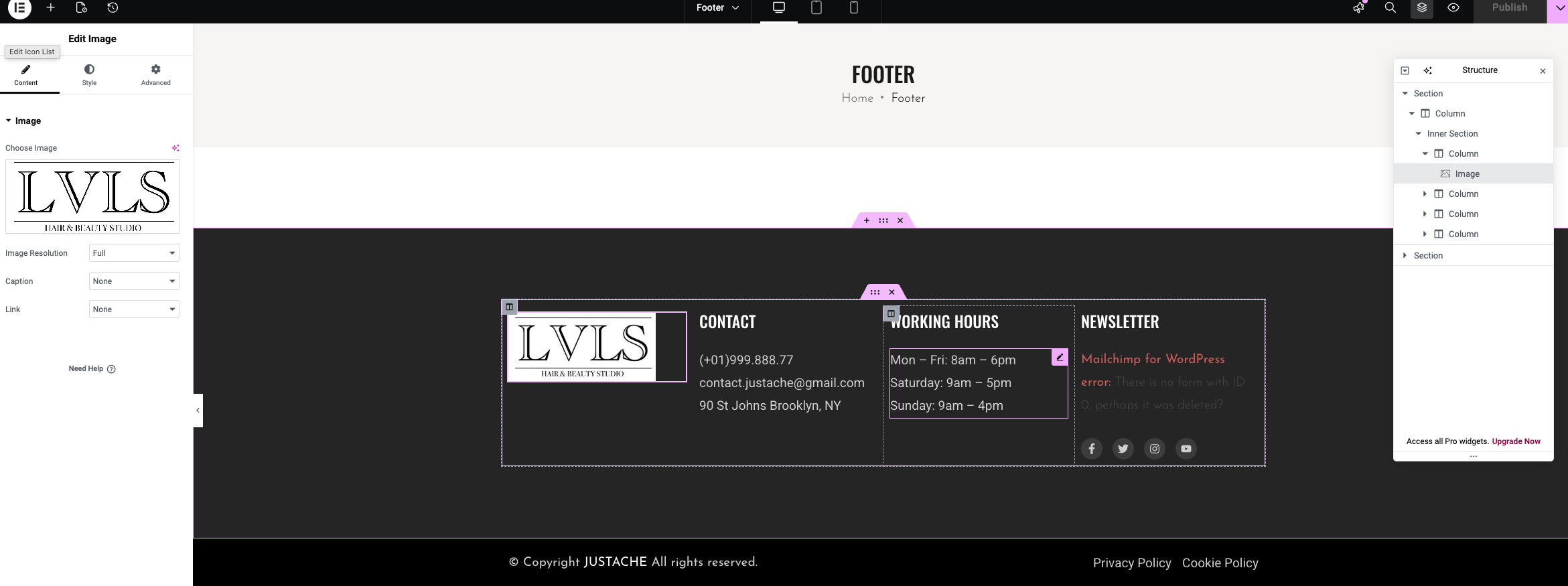
For the footer, please hover over the footer content, and then you can edit the footer:
https://i.postimg.cc/qkMmxMVC/Screenshot-2026-01-13-at-3-00-41-PM.png
Regards.
Hello.
The shop is the default page to get the products. You can change the layout for the shop page via the theme options/ shop/ archive product. It can't edit as the page.
To edit the footer, please go to Justache/ Footer block and use Elementor to edit the footer content.
Regards.
Hi.
We have checked and fixed the homepage -2 issue on your site.
You can't edit the shop page with Elementor or WPbakery page builder. The shop is the archive page.
Please recheck it.
Regards.
-
AuthorPosts